
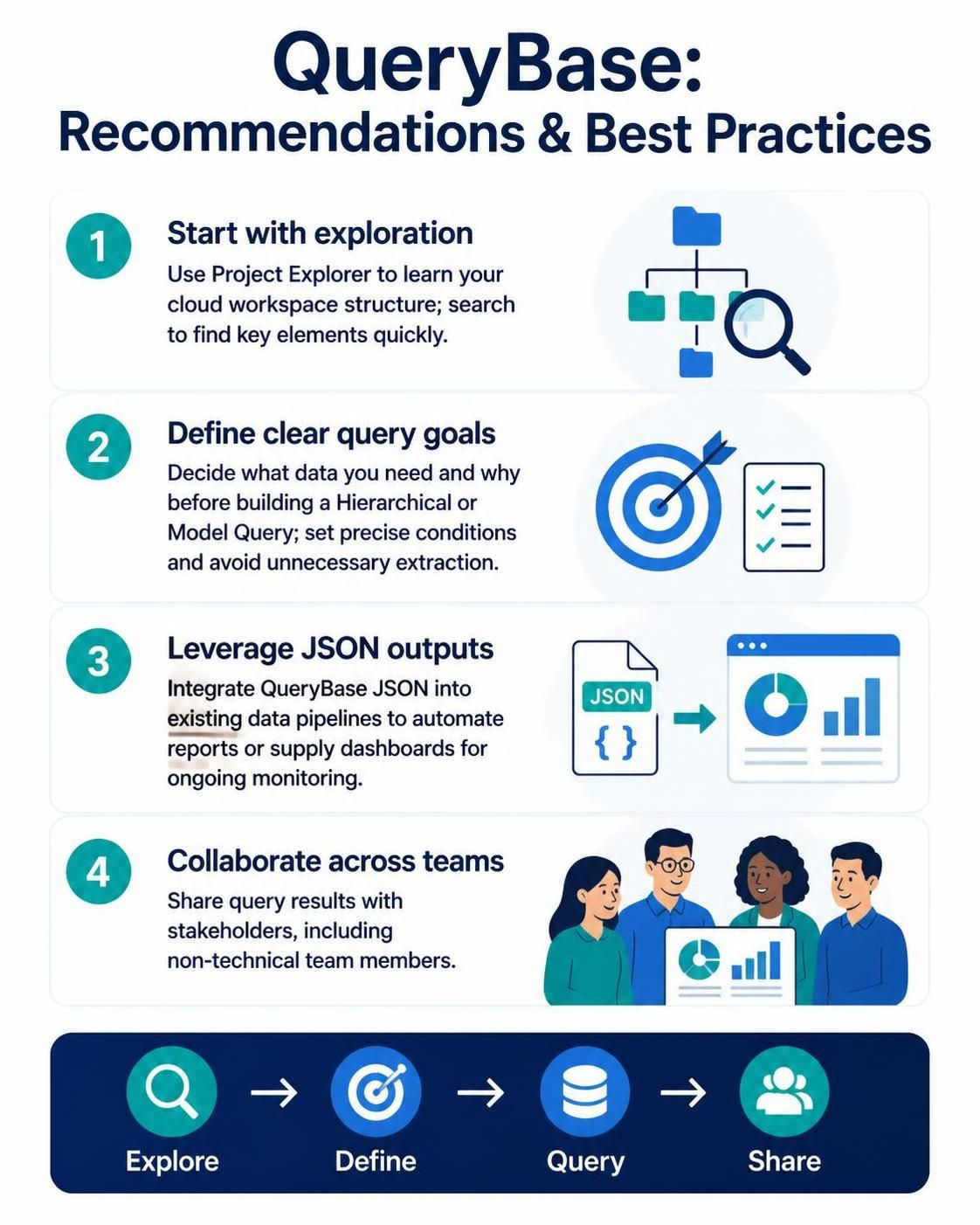
In the era of digital transformation, the gap between static design models and actionable business intelligence is often bridged by automation. Visual Paradigm QueryBase stands as the critical interface that transforms your cloud workspace from a repository of diagrams into a dynamic data engine. This tutorial explores the strategic workflow recommended for extracting maximum value from your design assets.
1. The Foundation: Start with Exploration
Before writing a single line of query code, the most effective approach is to immerse yourself in the structure of your cloud workspace. The Project Explorer is your primary navigation tool. It allows you to visualize the hierarchy of your projects, understand how diagrams are nested, and grasp the metadata available within your organization’s repository.
- Map Your Assets: Use the explorer to identify where critical models are located.
- Utilize Search: The search function is a powerful accelerator. Instead of manually browsing folders, use it to locate specific elements (like a specific class, use case, or entity) instantly.
By taking time to explore, you prevent the common pitfall of targeting the wrong data source or missing critical relationships in your model.
Pro Tip: Semantic Search
When using the search function within the Project Explorer, try searching for partial names or tags. Visual Paradigm’s search engine often indexes metadata associated with diagram elements, allowing you to find a “Login” feature even if the diagram element is named “Authentication.”
2. The Strategy: Define Clear Query Goals
Once you understand the landscape, the next step is precision. A common mistake in data extraction is the “fishing expedition”—casting a wide net and hoping for something useful. QueryBase requires a more surgical approach.
Before building a Hierarchical or Model Query, you must clearly define:
- The Data Need: What specific attributes or relationships are you looking for?
- The Business Justification: Why do you need this? (e.g., auditing security policies, tracing integration points).
- The Constraints: What conditions must the data meet?
Defining these goals upfront allows you to set precise conditions, significantly reducing the volume of unnecessary data extracted and improving query performance.
3. The Output: Leverage JSON Integration
The true power of QueryBase lies in its ability to feed data back into your existing ecosystem. The output is typically delivered in JSON format, a universal standard for data interchange.
Integration Workflow:
- Export: Run your query to generate the JSON file.
- Automate: Integrate this output into your ETL (Extract, Transform, Load) pipelines.
- Visualize: Feed the data directly into BI dashboards (like PowerBI, Tableau, or custom web apps) for continuous monitoring.
This step transforms a one-time analysis into a recurring business process, ensuring your design data remains synchronized with your business operations.
4. The Impact: Collaborate Across Teams
Design data is often siloed within technical teams. QueryBase breaks down these walls through its web-based nature. Because the interface is browser-accessible, you are not limited to sharing raw database dumps or requiring stakeholders to install complex modeling software.
You can share query results with non-technical stakeholders, such as business analysts, auditors, or project managers. This democratization of data allows teams to:
- Validate workflows without needing modeling expertise.
- Verify security policies using clear, extracted evidence.
- Trace integrations visually.
Conclusion: Turning Static Models into Dynamic Intelligence
By following the Explore → Define → Query → Share workflow, organizations can unlock the hidden value in their design repositories. Whether you are a systems analyst validating policies or a QA lead verifying workflows, QueryBase provides the tools to turn static diagrams into dynamic, actionable intelligence.
Ready to transform your design repository? Start by exploring your workspace structure today.