
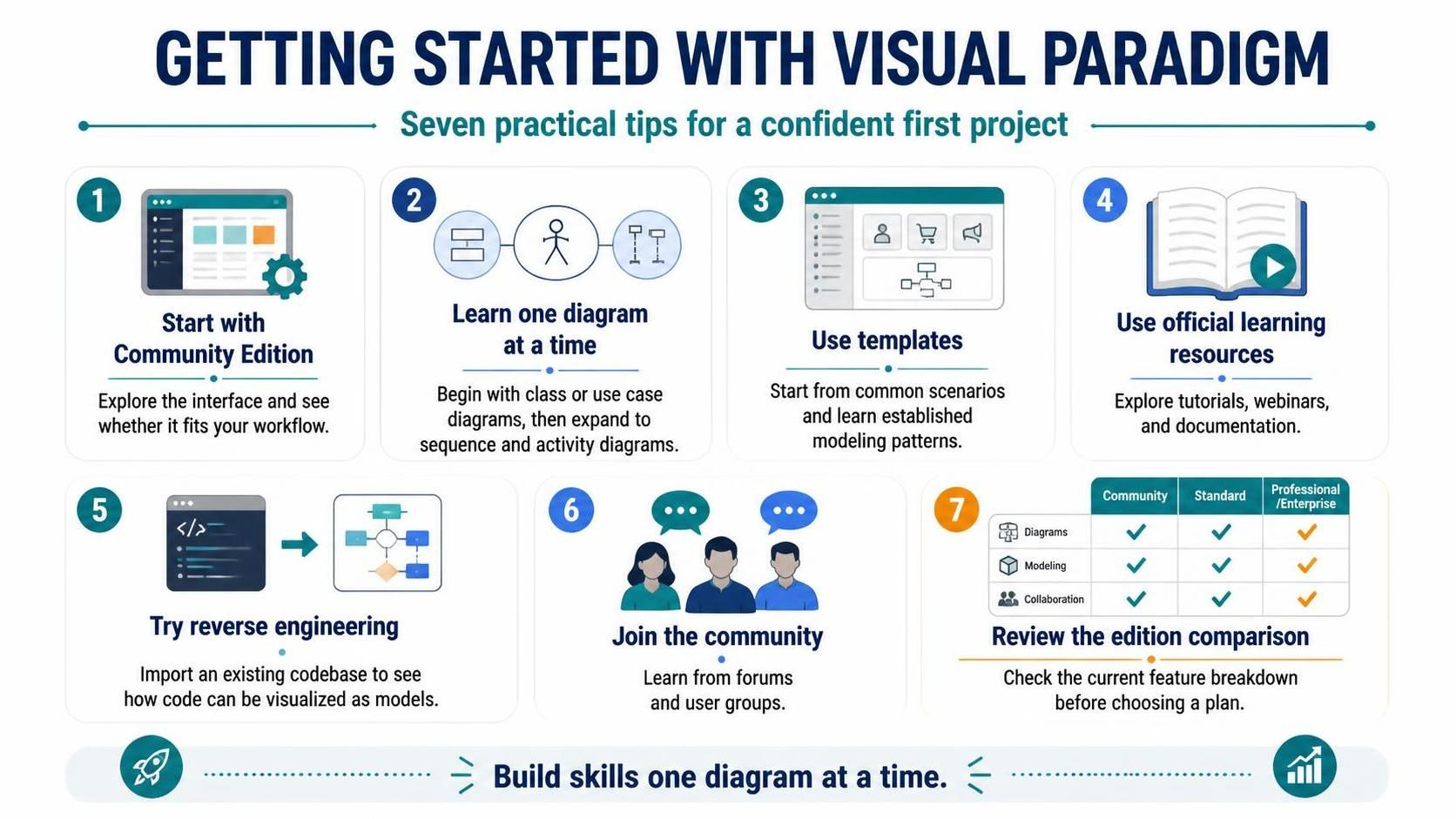
Visual Paradigm is a comprehensive tool that bridges the gap between abstract software requirements and concrete system architecture. For new users, the sheer breadth of features—from UML modeling to agile project management—can be overwhelming. However, mastering the tool requires a structured approach. This tutorial outlines a strategic roadmap for beginners to effectively navigate Visual Paradigm, focusing on leveraging the Community Edition, understanding diagram hierarchies, and utilizing reverse engineering to visualize complex codebases.
1. The Strategic Advantage of the Community Edition
Before committing to a license, it is crucial to validate the tool against your specific workflow. Visual Paradigm’s Community Edition is not merely a trial; it is a fully functional version with specific constraints (such as a limit on the number of diagrams) designed to allow users to test the software’s depth.
By starting here, you can:
- Explore the interface without the pressure of a subscription.
- Test the export and import capabilities for your specific file formats.
- Confirm that the modeling capabilities meet your project’s architectural needs.
2. Mastering Diagram Hierarchies: One Step at a Time
System architecture relies on visualizing different aspects of a system. Attempting to learn all Unified Modeling Language (UML) diagram types simultaneously often leads to cognitive overload. Instead, adopt a progressive learning path:
The Foundation: Use Case and Class Diagrams
Begin with Use Case Diagrams to define the “who” and “what” of your system. These diagrams map the interactions between actors (users or external systems) and the system itself. Once the functional requirements are clear, move to Class Diagrams, which define the static structure, attributes, and relationships of the data.
The Logic: Sequence and Activity Diagrams
After establishing the static structure, you must visualize the dynamic behavior. Sequence Diagrams are essential for understanding the temporal flow of messages between objects, while Activity Diagrams help model complex business logic and decision-making processes.
3. Accelerating Development with Templates
One of the most efficient ways to ensure your models adhere to industry standards is to utilize built-in Templates. These pre-configured models serve as blueprints for common scenarios, such as Agile project setups or standard software architecture patterns.
Using templates allows you to:
- Jumpstart your project by avoiding the need to create standard elements from scratch.
- Ensure your diagram layout follows established best practices.
- Focus on content and logic rather than formatting and aesthetics.
4. Reverse Engineering: Seeing Code as Models
Perhaps the most powerful feature for developers is Reverse Engineering. This process allows you to import an existing codebase (Java, C#, C++, etc.) and automatically generate visual models.
This feature is invaluable for:
- Understanding Legacy Systems: Visualize complex code structures that are difficult to grasp through text alone.
- Documentation: Generate up-to-date documentation directly from the source code.
- Refactoring: Identify complex dependencies and circular references before making major changes.
5. Leveraging the Ecosystem for Continuous Learning
Visual Paradigm offers a robust ecosystem of support. The official Learning Resources include extensive documentation, webinars, and tutorials that cover everything from basic syntax to advanced enterprise features.
Additionally, engaging with the Community is vital. Forums and user groups provide a platform to exchange tips, troubleshoot specific modeling issues, and stay updated on the latest industry standards. Finally, always review the Edition Comparison page to ensure you have access to the specific features required for your project scale.