
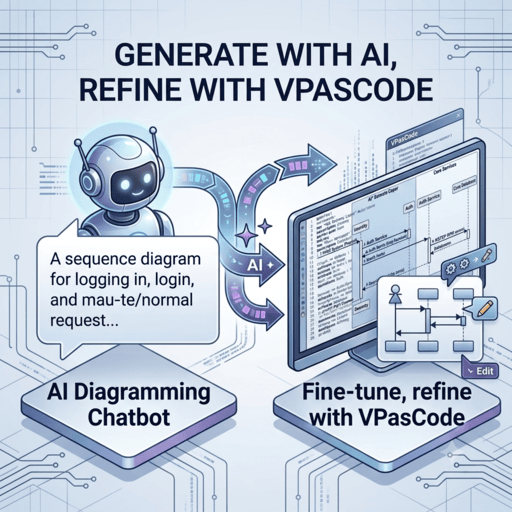
In the modern landscape of software architecture, the gap between abstract brainstorming and rigorous documentation is often where projects stall. However, a powerful new paradigm has emerged that bridges this divide seamlessly. By leveraging the synergy between AI Diagramming Chatbots and the Visual Paradigm VPasCode editor, engineers can transform plain text ideas into precise, syntax-perfect technical diagrams in seconds. This tutorial explores how to utilize this specific workflow to create complex system models, such as a login sequence diagram, with unprecedented efficiency.
The Modern Modeling Paradigm: Generate, Then Refine
Traditional diagramming tools often require manual drag-and-drop operations, which can be tedious and prone to formatting errors. The AI-driven approach flips this script. Instead of manually drawing boxes and arrows, the user acts as a “Prompt Engineer,” describing the desired behavior in natural language. The AI then acts as a drafter, generating the underlying code structure.
This process is not a “black box” replacement for human expertise but a collaborative workflow:
- Idea Generation: The user provides a text prompt describing the scenario (e.g., “A sequence diagram for logging in, login, and mau-te/normal request”).
- AI Synthesis: The AI Chatbot interprets the request and generates the initial diagram code (typically in Mermaid or similar syntax).
- Human Refinement: The generated code is opened in VPasCode, where the user can fine-tune styling, fix syntax, and adjust logic.
Step-by-Step: Building a Login Sequence Diagram
To understand this architecture, let us walk through the creation of a sequence diagram representing a user authentication flow. This example demonstrates how to handle specific conditions, such as “normal requests” versus “malicious attempts” (often abbreviated as “mau-te” in informal notes), using the AI-to-VPasCode pipeline.
Step 1: Conceptualizing with Natural Language
The journey begins in the AI Diagramming Chatbot. Here, the goal is to capture the logic flow without worrying about syntax. You might describe the interaction as follows:
“Create a sequence diagram involving a User, a Controller, a Database, and a Security Filter. The User sends a request. If it is a normal request, proceed to login. If it is a malicious request (mau-te), reject it immediately.”
Step 2: AI Generation and the Mermaid Syntax
Upon processing your prompt, the AI generates the code. While the user interface handles the rendering, the underlying structure is what matters. The AI will produce a Mermaid.js definition that looks roughly like this:
sequenceDiagram
    autonumber
    participant User
    participant Controller
    participant DB
    participant Security

    User->>Controller: Login Request
    alt Malicious Request (mau-te)
        Security->>User: Reject
        Note right of Security: Security Check Failed
    else Normal Request
        Controller->>DB: Validate Credentials
        DB-->>Controller: Success
        Controller->>User: Access Granted
    end
This snippet represents the “skeleton” of your diagram. It defines the participants (User, Controller, etc.) and the logic (the alt/else block). However, it lacks the professional styling and specific visual cues required for high-quality documentation.
Step 3: Refinement with VPasCode
This is where the VPasCode tool takes center stage. You take the code generated by the AI and paste it into the VPasCode editor. This environment provides real-time syntax checking and advanced styling capabilities that pure text editors lack.
Here, you can perform critical refinements:
- Styling Customization: Change the color of the “Reject” note to red to highlight negative outcomes.
- Syntax Correction: If the AI missed a semicolon or misidentified a participant name, VPasCode will immediately flag the error and highlight the exact line.
- Layout Optimization: Adjust the layout to ensure the “Normal Request” path is visually distinct from the “Malicious Request” path.
Step 4: The Final Output
Once refined in VPasCode, the diagram is ready for export. You can generate high-resolution images, PDFs, or integrate the code directly into your project’s documentation. The result is a professional-grade sequence diagram that accurately reflects the system’s logic without the tedious manual drawing.
Conclusion
The integration of AI generation with VPasCode represents a significant leap forward in software documentation. It allows architects to focus on the “What” and “Why” of their system design via AI, while the tool handles the “How” of syntax and presentation. By adopting this workflow, teams can ensure their diagrams are not only conceptually accurate but technically flawless.