
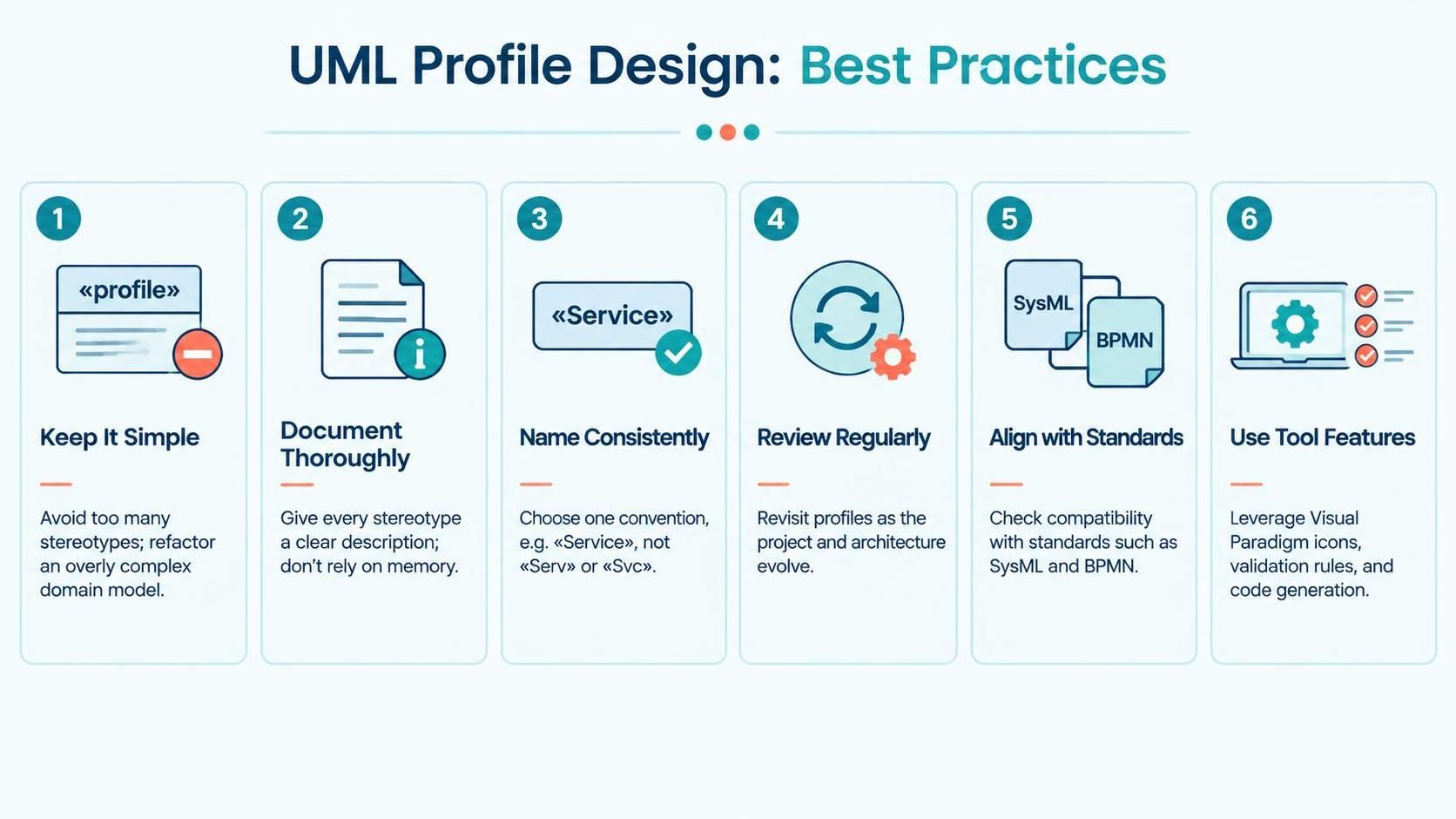
Designing a robust system architecture requires more than just standard UML diagrams; it demands the ability to extend the language to fit your specific domain. This is where UML Profiles come into play. A Profile is a mechanism that allows you to customize the UML notation to suit the needs of your specific industry or application.
However, creating a profile is a double-edged sword. While it adds power and specificity, it can also introduce complexity and confusion if not managed correctly. Drawing from expert guidelines, this tutorial breaks down the six pillars of UML Profile Design, ensuring your models are clean, maintainable, and professional.
1. The Philosophy of Simplicity
The first rule of profile design is Keep It Simple. A common pitfall for modelers is the “stereotype explosion”—creating hundreds of stereotypes for every minor nuance in the system. This leads to a diagram that is cluttered and difficult to read.
If you find yourself needing to create a stereotype for a concept that is already overly complex, do not simply add another tag to it. Instead, consider refactoring your domain model. Sometimes, the issue lies in the model’s structure, not the notation. Simplify the underlying logic before trying to label it.
2. Documentation: The Antidote to “Implicit Knowledge”
Models are often read by developers who were not present when the design was created. Relying on memory or “implicit knowledge” is a recipe for failure. Every stereotype you define must have a clear description.
When you define a stereotype in Visual Paradigm, you must populate the documentation field. This text appears in the tooltips and the model repository, acting as an immediate reference guide. A stereotype without documentation is a burden on the team’s memory.
Example: Defining a Stereotype
/* Concept: <>
   Description: Represents a logical service component
   that handles business logic and data processing.
   Usage: Apply this to Class elements to denote service boundaries.
*/
3. Consistent Naming Conventions
Consistency is the hallmark of a professional architecture. You must establish a naming convention and stick to it religiously. Do not mix variations like <
Best Practice: Always use the full, descriptive name (e.g., <
- The diagram remains readable at a glance.
- Searchability in the model repository is maximized.
- The model is easier to map to automated code generation scripts.
4. The Lifecycle of a Profile: Regular Reviews
A UML Profile is not a static asset; it is a living artifact that evolves alongside your project. As your system architecture changes, your stereotypes may become obsolete or insufficient.
Review Regularly: Schedule periodic audits of your profile. Ask yourself: “Does this stereotype still align with the current system architecture?” If a stereotype is rarely used or causes confusion, it is time to retire it.
5. Aligning with Industry Standards
While customization is powerful, it should not isolate your models from the broader ecosystem. Always ensure your extensions do not conflict with established industry standards such as SysML (Systems Modeling Language) or BPMN (Business Process Model and Notation).
If you are working in a regulated industry or collaborating with external partners, adhering to these standards ensures that your models can be understood by tools and teams outside your immediate environment. Deviation should only occur when absolutely necessary.
6. Leveraging Tool Features
Finally, maximize the value of your profiles by leveraging the built-in features of your modeling tool, such as Visual Paradigm. A profile should not just be a visual label; it should drive the development process.
Key features to utilize include:
- Icon Customization: Visual distinction between components.
- Validation Rules: Prevent invalid relationships between specific stereotypes.
- Code Generation: Automatically generate boilerplate code or configuration files based on your stereotypes.
Conclusion
By following these six best practices—keeping it simple, documenting thoroughly, naming consistently, reviewing regularly, aligning with standards, and using tool features—you can create UML Profiles that are powerful assets rather than liabilities. A well-designed profile acts as a bridge between high-level architecture and implementation details, ensuring your system design is both flexible and robust.