
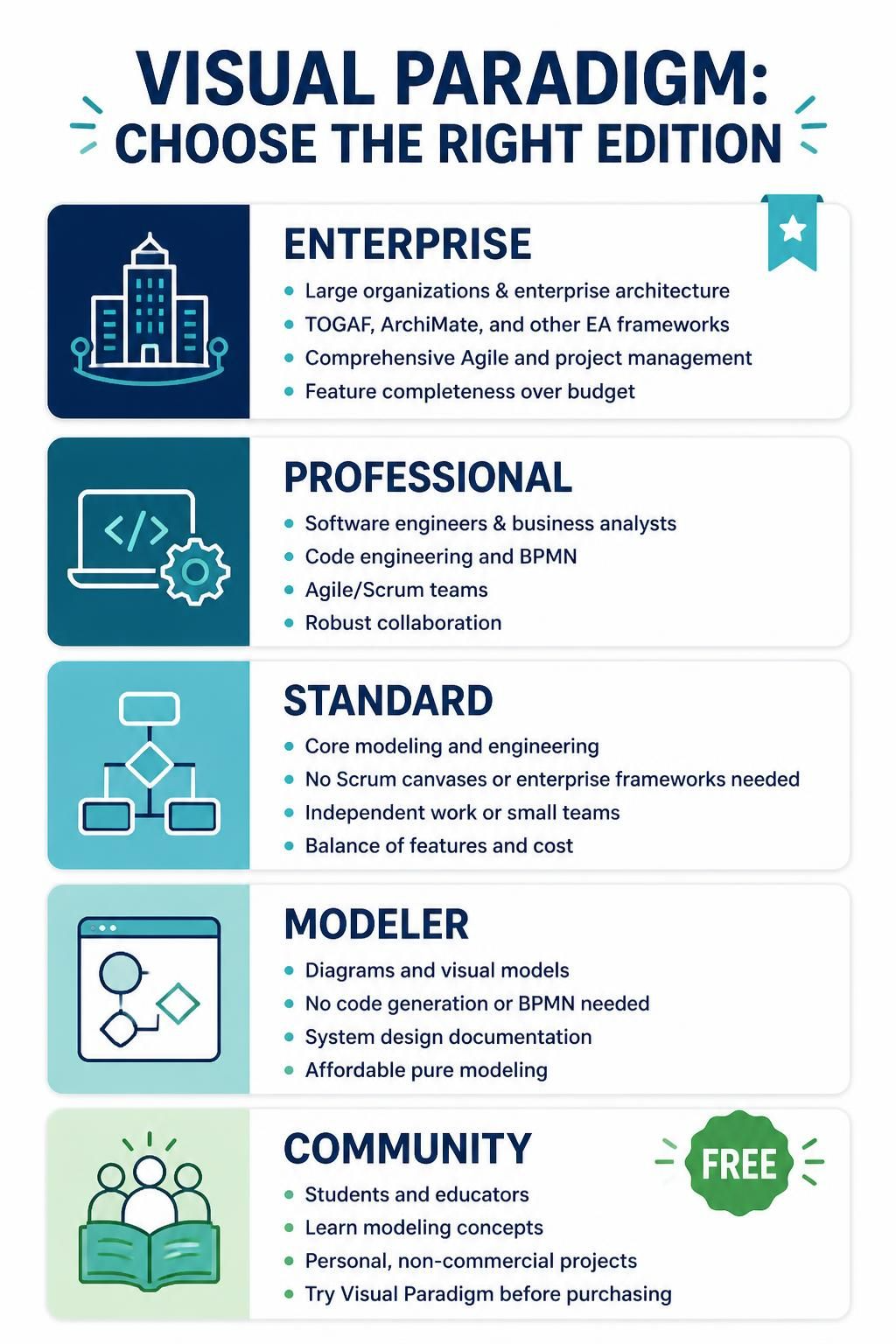
In the landscape of software engineering and enterprise architecture, the choice of modeling tool is as critical as the language used to write the code itself. Visual Paradigm has established itself as a robust solution for Unified Modeling Language (UML), SysML, and Business Process Modeling Notation (BPMN). However, with a diverse suite of offerings ranging from the free Community edition to the comprehensive Enterprise model, selecting the correct platform is essential for optimizing workflow and budget.
This tutorial serves as a comprehensive guide to navigating the Visual Paradigm ecosystem. We will break down the specific capabilities of each edition, helping you map your technical requirements to the appropriate tool tier.
Understanding the Visual Paradigm Tooling Suite
Visual Paradigm is not merely a drawing application; it is a full-stack tool for system design. It supports the entire software development lifecycle, from requirement analysis to code generation and deployment. The platform is built upon a flexible architecture that allows users to scale their capabilities based on project complexity.
The core value proposition of Visual Paradigm lies in its ability to bridge the gap between abstract system design and concrete implementation. Whether you are defining a complex database schema or mapping a high-level business process, the tool provides the necessary infrastructure to ensure consistency across your documentation.
Decoding the Editions: A Technical Breakdown
To make an informed decision, one must understand the specific technical constraints and features of each edition. Below is a detailed analysis of the five primary tiers.
1. Enterprise: The Complete Ecosystem
The Enterprise edition is designed for large-scale organizations where complexity is the primary challenge. This edition is the only tier that offers full support for comprehensive Enterprise Architecture (EA) frameworks.
- Framework Support: Includes full TOGAF, DoDAF, and ArchiMate support, allowing architects to maintain compliance with industry standards.
- Agile & Project Management: Features advanced Scrum canvases and project management guides integrated directly into the modeling environment.
- Collaboration: Offers the highest level of team collaboration features, essential for distributed teams managing large codebases.
2. Professional: The Engineer’s Choice
The Professional edition is tailored for software engineers and business analysts who require a balance between deep modeling capabilities and practical engineering tools. It is the most popular choice for teams practicing Agile and Scrum methodologies.
- Code & Database Engineering: Supports forward and reverse engineering, allowing you to generate code from models and synchronize models with existing codebases.
- BPMN & DFD: Includes robust support for Business Process Modeling Notation (BPMN) and Data Flow Diagrams (DFD), crucial for business analysts.
- Team Collaboration: Provides robust features for team sharing and version control, though it lacks the deep EA framework support of the Enterprise edition.
3. Standard: Core Modeling & Engineering
The Standard edition is an ideal balance for independent professionals or small teams. It focuses on the core capabilities of the software without the overhead of enterprise-level project management tools.
- Core Capabilities: Retains full UML, SysML, and ERD support.
- Engineering: Includes Code and Database Engineering features, making it suitable for developers who need to visualize their architecture.
- Limited Management: While it lacks the deep Scrum canvases of the Enterprise edition, it supports basic project management needs.
4. Modeler: Pure Visualization
The Modeler edition is distinct in that it focuses strictly on diagramming and documentation. It is the most affordable option for users who need to create visual models but do not require code generation or complex business process modeling.
- Diagramming Focus: Optimized for creating UML, SysML, and ERD diagrams.
- Exclusions: Explicitly excludes BPMN, DFD, and Code Generation features.
- Use Case: Perfect for system design documentation and academic purposes where implementation logic is not the immediate priority.
5. Community: The Learning Foundation
The Community edition is a free version of Visual Paradigm designed for students, educators, and hobbyists. It is watermarked and intended for non-commercial use.
- Non-Commercial: Strictly for personal projects and learning.
- Core Features: Provides access to core modeling tools, allowing learners to grasp concepts without financial barriers.
- Transition: Serves as an excellent entry point for users to evaluate the software before committing to a paid license.
Comparative Analysis
When selecting your edition, it is helpful to view the features as a matrix of capabilities. The following table summarizes the availability of key features across the editions.
| Feature / Capability | Enterprise | Professional | Standard | Modeler | Community |
|---|---|---|---|---|---|
| Core UML, SysML, ERD | Yes | Yes | Yes | Yes | Yes (Watermarked) |
| BPMN & DFD | Yes | Yes | Yes | No | No |
| Code & Database Engineering | Yes | Yes | Yes | No | No |
| Team Collaboration | Yes | Yes | Yes | No | No |
| Scrum Canvas & PM Guides | Yes | Yes | Yes | No | No |
| AI-Powered Business Tools | Yes | Yes | No | No | No |
| TOGAF, DoDAF & ArchiMate | Yes | No | No | No | No |
Decision Matrix: Which Edition Should You Choose?
Choosing the right tool depends on your specific role and the maturity of your development environment.
Choose Enterprise If:
- You work in a large organization implementing enterprise architecture.
- You need full TOGAF, ArchiMate, or other EA framework support.
- Your team requires comprehensive Agile and project management tools.
- Budget is less of a concern than feature completeness.
Choose Professional If:
- You’re a software engineer or business analyst.
- You need code engineering and BPMN but not enterprise frameworks.
- Your team practices Agile/Scrum methodologies.
- You want robust collaboration features.
Choose Standard If:
- You need core modeling and engineering capabilities.
- You don’t require Scrum canvases or enterprise frameworks.
- You’re working independently or in a small team.
- You want a balance of features and cost.
Choose Modeler If:
- You primarily create diagrams and visual models.
- You don’t need code generation or BPMN.
- You’re focused on system design documentation.
- You want an affordable option for pure modeling.
Choose Community If:
- You’re a student or educator.
- You’re learning modeling concepts.
- You have personal, non-commercial projects.
- You want to try Visual Paradigm before purchasing.